Tresor
Switch LLM Providers for Any Apps with One Click. — a single Go binary that sits between your applications and LLM providers, intercepting API calls, routing them to different backends, and transforming request/response formats on the fly.
At a Glance
Tresor has two faces in one binary:
| Mode | What It Does |
|---|---|
| Daemon | 🖥️ Long-running HTTP gateway + admin REST API + embedded web UI |
| CLI | 💻 Command-line client for managing rules, downstreams, and aliases |
┌──────────────┐     ┌──────────────┐     ┌──────────────┐
│   Your App   │────>│    Tresor    │────>│  LLM Provider│
│              │     │    (gateway) │     │  (OpenAI,    │
│              │<────│              │<────│  Anthropic..)│
└──────────────┘     └──────────────┘     └──────────────┘
                         │
                         ├── Admin REST API
                         ├── Embedded Web UI
                         └── CLI Commands
🤔 Why Tresor?
- One binary: No need to install on every PC/server where LLM apps live in.
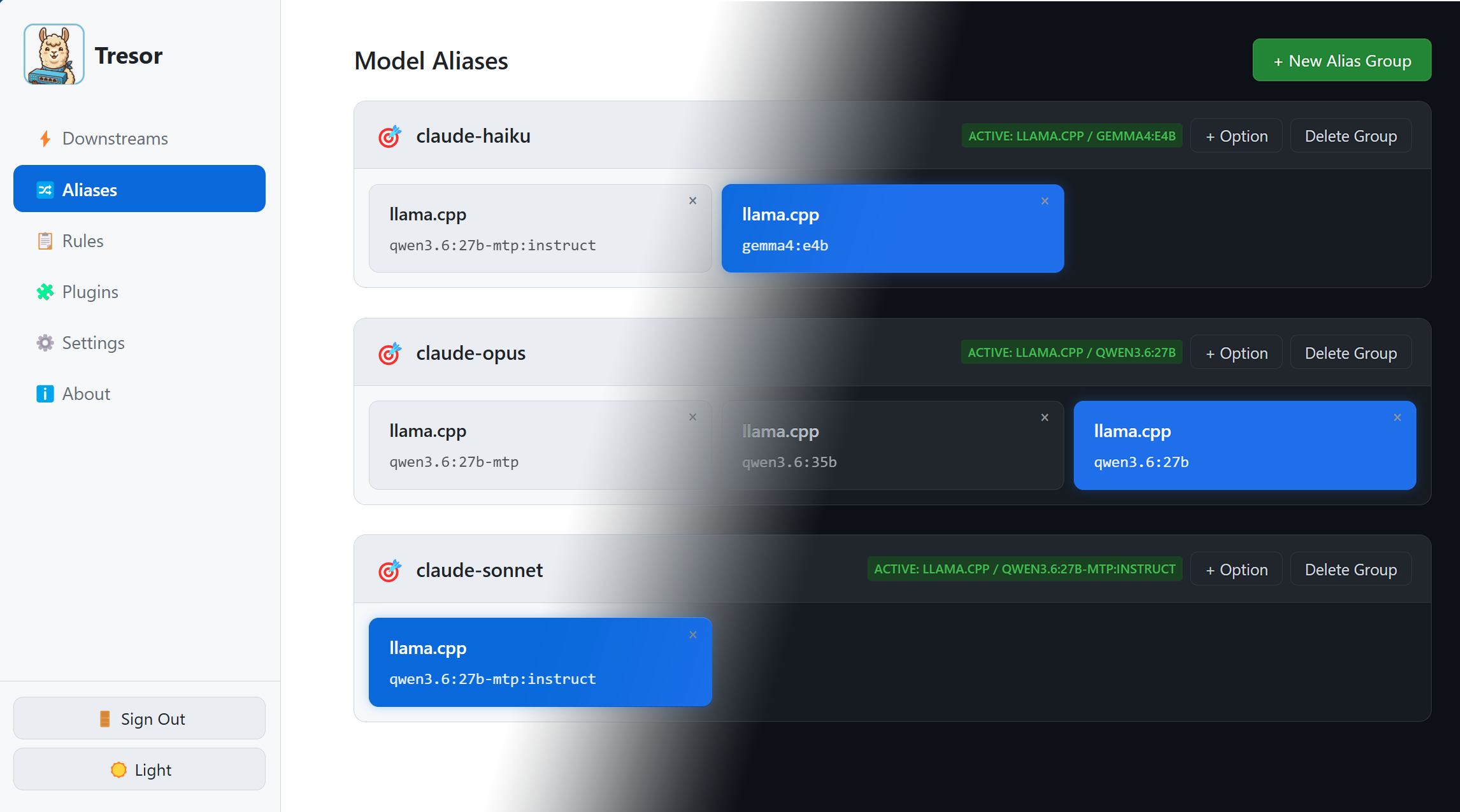
- One click: LLM provider switch via alias buttons in web UI.
- Any Apps: All LLM apps using OpenAI Chat Completions, Anthropic Messages, or OpenAI Responses API do not need to reconfigure their LLM providers.
For apps that do not support customizable endpoint, a possible workaround is to modify DNS records and point the IP address to Tresor.
🔄 The Problem: Switching Providers at Scale
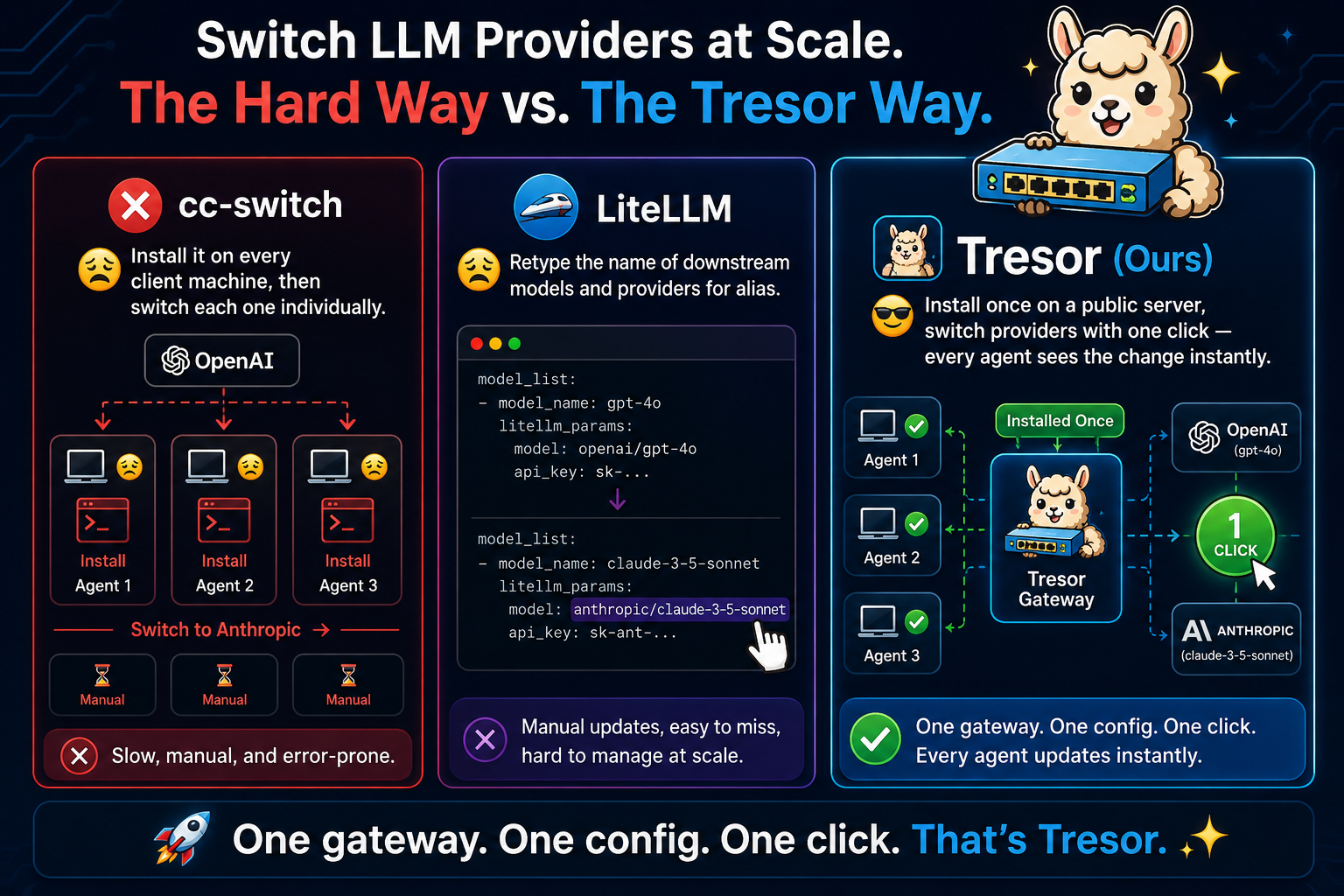
Imagine you have agents on three machines, all calling OpenAI. You want to switch them to Anthropic. Tresor sits in the middle so you only change one thing.
⚠ DISCLAIMER: Tresor is intended for personal use rather than LLM transfer stations, so it only has one administrative account. We are not planning to support commercial-purpose multi-user login.
✨ Core Features
- ⚡ Hot-Switch Models — Map one model name to any backend model and switch on the fly. Your app requests
gpt-4o; Tresor can route it to Claude Sonnet, Opus, or keep it on GPT-4o — all without restarting. - 🎭 Auto-Translation — Automatically convert between OpenAI, Anthropic, OpenAI Responses, and Google Gemini formats. Your app sends an OpenAI request; Tresor forwards it to an Anthropic, Gemini, or any other downstream and converts the response back — no rule configuration needed.
- 🔍 Traffic Inspection (off by default) — Inspect raw incoming requests and downstream LLM responses, by clicking the log entries. Curious about what your LLM Apps are actually sending to LLMs? Then this is for you! Works similar to claude-tap.
- 🌐 Embedded Web UI — Manage everything from a browser dashboard. No separate frontend deployment.
- 🔌 Extensible Plugin Pipeline — Write your own plugins to modify requests, responses, headers, and streaming events. Hot-reload plugin without restarting Tresor. Explore Ladbaby/Tresor-plugins for examples and inspiration.
- 📝 Single Config File — All settings in one portable YAML file. Changes via the web UI write back automatically.
- 🔑 Proxy Authentication — Require clients to authenticate via
Authorization: Bearerorx-api-keyheaders (supports Anthropic-format clients like Claude Office plugin). - 🔄 Retry on Empty Response — Automatically retry downstream requests that return HTTP 200 but produce no content (e.g., thinking-only responses, empty completions). Up to 3 retries with exponential backoff. Transparent to the client.
- 🪶 Zero External Dependencies — Pure Go SQLite (no CGO), no external web framework, single compiled binary.
🔄 How It Works
When a request hits Tresor:
- 🔐 Auth Check — Validate proxy API key if configured
- 🔍 Model Extract — Extract the model name from the request body
- 🏷️ Alias Check — Look for an active exact alias matching the model; if not found, try active regex aliases. If found, use its downstream and rewrite the model name
- 🎯 Direct Routing — If no alias, find which downstream can handle this model via
output_model_ids - 📏 Rule Matching — Collect all matching rules for pipeline transforms (rules never override the resolved downstream; multiple rules can match and their pipelines are concatenated)
- ⚡ Auto-Translation — If the request format (OpenAI Chat Completions, Anthropic Messages, or OpenAI Responses API) doesn't match the downstream's declared format, automatically insert the appropriate format converter (e.g.,
openai2responses,responses2anthropic) - ⚙️ Transform & Forward — Run request through configured transformers, then forward to the resolved downstream
- 🔄 Retry on Empty Response — (if enabled) If the downstream returns HTTP 200 but produces no content, retry up to 3 times with exponential backoff. Retries are transparent to the client.
- ↩️ Transform Response — Run the downstream's response through response transformers before returning to the client
🏗️ Key Design Decisions
- 📝 Single YAML config — all settings in one portable file
- 💾 SQLite (
modernc.org/sqlite) — pure Go, no CGO dependency - 🔄 Upsert on startup — YAML data merges into SQLite; DB-only rows preserved
- 🚫 No external web framework — uses
net/httpServeMux directly - 📦 Single binary — daemon and CLI dispatched by subcommand
- 🌐 Web UI embedded at compile time — via Go's
embed.FS