Tresor
Switch LLM Providers for Any Apps with One Click. — a single Go binary that sits between your applications and LLM providers, intercepting API calls, routing them to different backends, and transforming request/response formats on the fly.
At a Glance
Tresor has two faces in one binary:
| Mode | What It Does |
|---|---|
| Daemon | 🖥️ Long-running HTTP gateway + admin REST API + embedded web UI |
| CLI | 💻 Command-line client for managing rules, downstreams, and aliases |
┌──────────────┐     ┌──────────────┐     ┌──────────────┐
│   Your App   │────>│    Tresor    │────>│  LLM Provider│
│              │     │    (gateway) │     │  (OpenAI,    │
│              │<────│              │<────│  Anthropic..)│
└──────────────┘     └──────────────┘     └──────────────┘
                         │
                         ├── Admin REST API
                         ├── Embedded Web UI
                         └── CLI Commands
🤔 Why Tresor?
- One binary: No need to install on every PC/server where LLM apps live in.
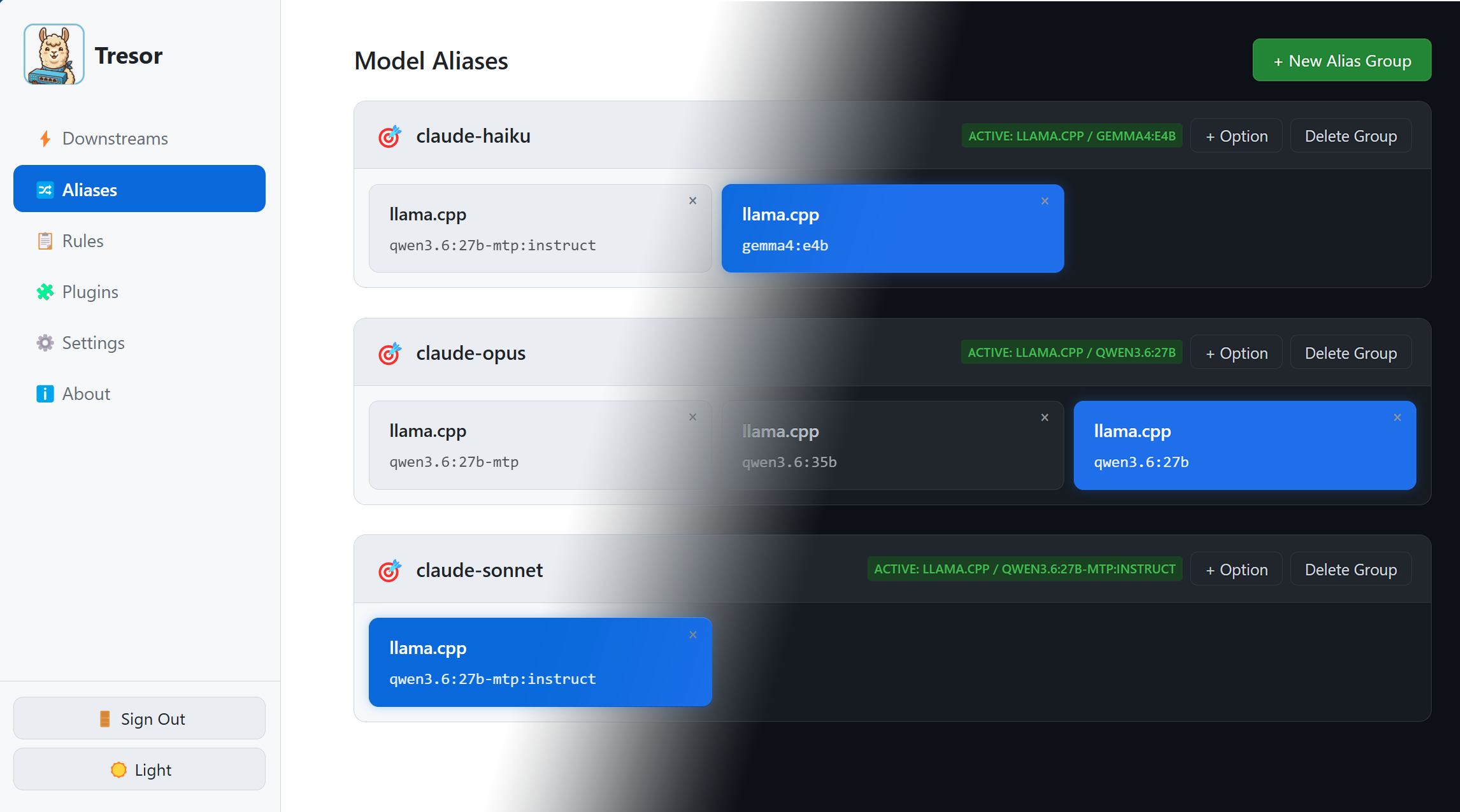
- One click: LLM provider switch via alias buttons in web UI.
- Any Apps: All LLM apps using OpenAI/Anthropic API do not need to reconfigure their LLM providers.
For apps that do not support customizable endpoint, a possible workaround is to modify DNS records and point the IP address to Tresor.
🔄 The Problem: Switching Providers at Scale
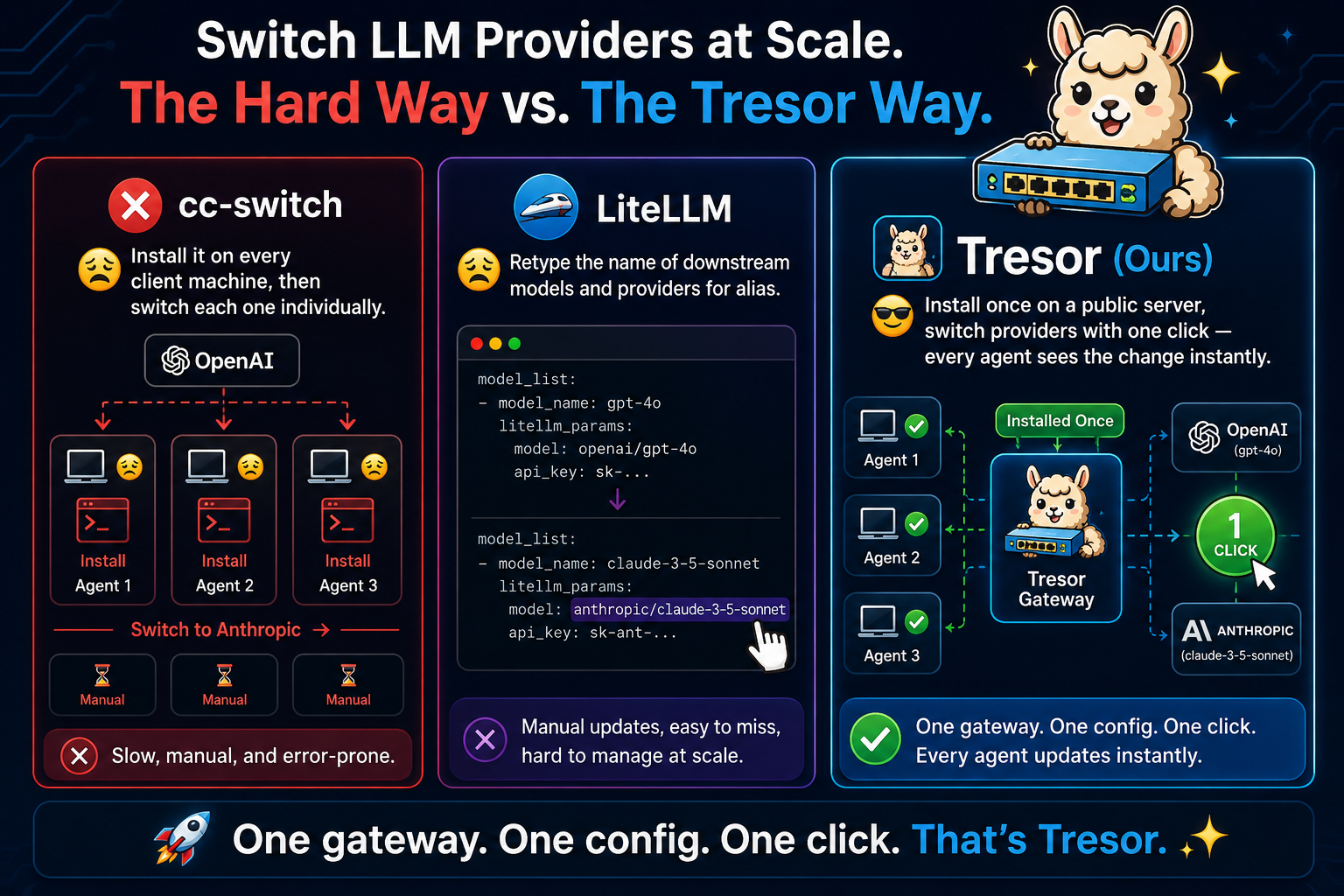
Imagine you have agents on three machines, all calling OpenAI. You want to switch them to Anthropic. Tresor sits in the middle so you only change one thing.
⚠ DISCLAIMER: Tresor is intended for personal use rather than LLM transfer stations, so it only has one administrative account. We are not planning to support commercial-purpose multi-user login.
✨ Core Features
- 🔄 Protocol Translation — Convert between OpenAI and Anthropic API formats transparently. Send an OpenAI request, receive it from an Anthropic backend, without changing a line of application code.
- ⚡ Auto-Translation — When a downstream declares its API format (e.g.,
api_formats: [anthropic]), Tresor automatically inserts the appropriate format converter into the pipeline, even without an explicit rule. - 🛤️ Per-Path Routing — Route different API paths (and models) to different downstream providers based on configurable rules.
- 🏷️ Model Aliasing — Map one model name to another at the gateway layer. Your app sends
gpt-4o, Tresor forwards asclaude-sonnet-4. Hot-switch between backends without restarting. Supports regex patterns (e.g.,^claude-.*) to match entire families of models. Groups can be reordered via drag-and-drop in the web UI. - 🔌 Plugin Pipeline — Chain multiple transformation plugins per rule (header injection, format conversion, image extraction, and more).
- 📋 Aggregated Model List — Tresor exposes
/v1/modelsthat aggregates all known models from downstreams and exact-match aliases (regex aliases excluded), so OpenAI-compatible clients can discover available models. - 📊 Request Logging — Real-time gateway request logs via Server-Sent Events (SSE), displayed newest-first with a text filter for searching. Configurable log verbosity (debug, info, warn, error).
- 🌐 Embedded Web UI — Manage everything from a browser-based dashboard served by the daemon itself. Features include a login screen, dark/light theme toggle, visual pipeline editor, request log viewer, and an About panel. No separate frontend needed.
- 📝 Single Config File — All downstreams, rules, aliases, and settings live in one portable YAML file. Changes via API or UI write back automatically.
- 🪶 Zero External Dependencies — Pure Go SQLite (no CGO), no external web framework, single compiled binary.
🔄 How It Works
When a request hits Tresor:
- 🔐 Auth Check — Validate proxy API key if configured
- 🔍 Model Extract — Extract the model name from the request body
- 🏷️ Alias Check — Look for an active exact alias matching the model; if not found, try active regex aliases. If found, use its downstream and rewrite the model name
- 🎯 Direct Routing — If no alias, find which downstream can handle this model via
output_model_ids - 📏 Rule Matching — Collect all matching rules for pipeline transforms (rules never override the resolved downstream; multiple rules can match and their pipelines are concatenated)
- ⚡ Auto-Translation — If the request format doesn't match the downstream's declared format, automatically insert a format converter
- ⚙️ Transform & Forward — Run request through configured transformers, then forward to the resolved downstream
- ↩️ Transform Response — Run the downstream's response through response transformers before returning to the client
🏗️ Key Design Decisions
- 📝 Single YAML config — all settings in one portable file
- 💾 SQLite (
modernc.org/sqlite) — pure Go, no CGO dependency - 🔄 Upsert on startup — YAML data merges into SQLite; DB-only rows preserved
- 🚫 No external web framework — uses
net/httpServeMux directly - 📦 Single binary — daemon and CLI dispatched by subcommand
- 🌐 Web UI embedded at compile time — via Go's
embed.FS
Next: 📦 Installation — Get Tresor running on your machine.